Versnq Desk · WhatsApp
A WhatsApp AI receptionist that answers, books and follows up
Customers WhatsApp you a price or a time, and expect an answer in minutes, not tomorrow. Desk answers every one of them, at any hour, from your own price list, and books the appointment into your calendar while it is at it.
What you get
Everything this module does
Answers from your own price list
Services, prices, hours, address and FAQ are the only things it answers from. It never invents a price, an offer or a discount.
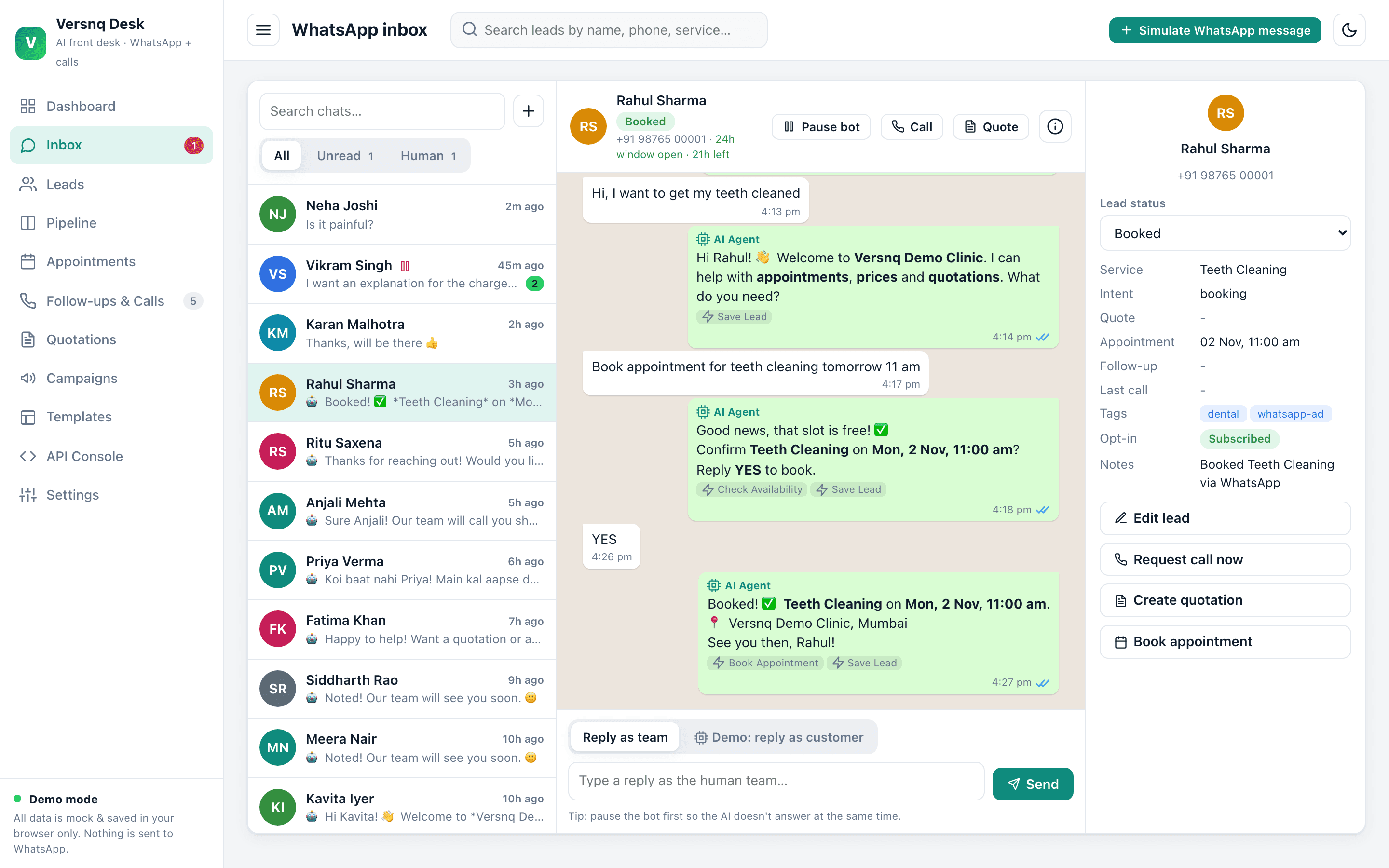
Books into Google Calendar
It checks the slot is free, books it after the customer says yes, and sends a WhatsApp confirmation with the date and time.
Quotations with tax
Line items, discount and tax worked out the same way every time: GST in India, VAT in the Gulf and the UK, in the right currency.
In the customer's language
English, Hindi, Hinglish, Arabic, or the languages you choose. It matches whoever is writing.
Hands over to a person
Asked for a human, or talking to someone upset, it pauses for that chat and emails you. Nobody gets stuck arguing with a bot.
Follows up the quiet ones
The customer who asked a price and went silent is followed up inside business hours, up to three times, then left alone.
The problem
The lead you lose is the one nobody replied to
A small business gets its enquiries on WhatsApp now, at all hours: a price at lunch, a booking at 11 at night, the same question about parking six times a week. Whoever answers is also doing the actual work, so replies come late, or not at all, and the customer books with whoever answered first.
Desk answers all of them in seconds, from the details you give it, and does the part that usually needs a second message: checking the calendar, booking the slot, sending the quotation. When something needs a person, it says so and steps aside.
You keep your own number, your own calendar and your own customers. The dashboard shows every conversation, so nothing the AI says is hidden from you.
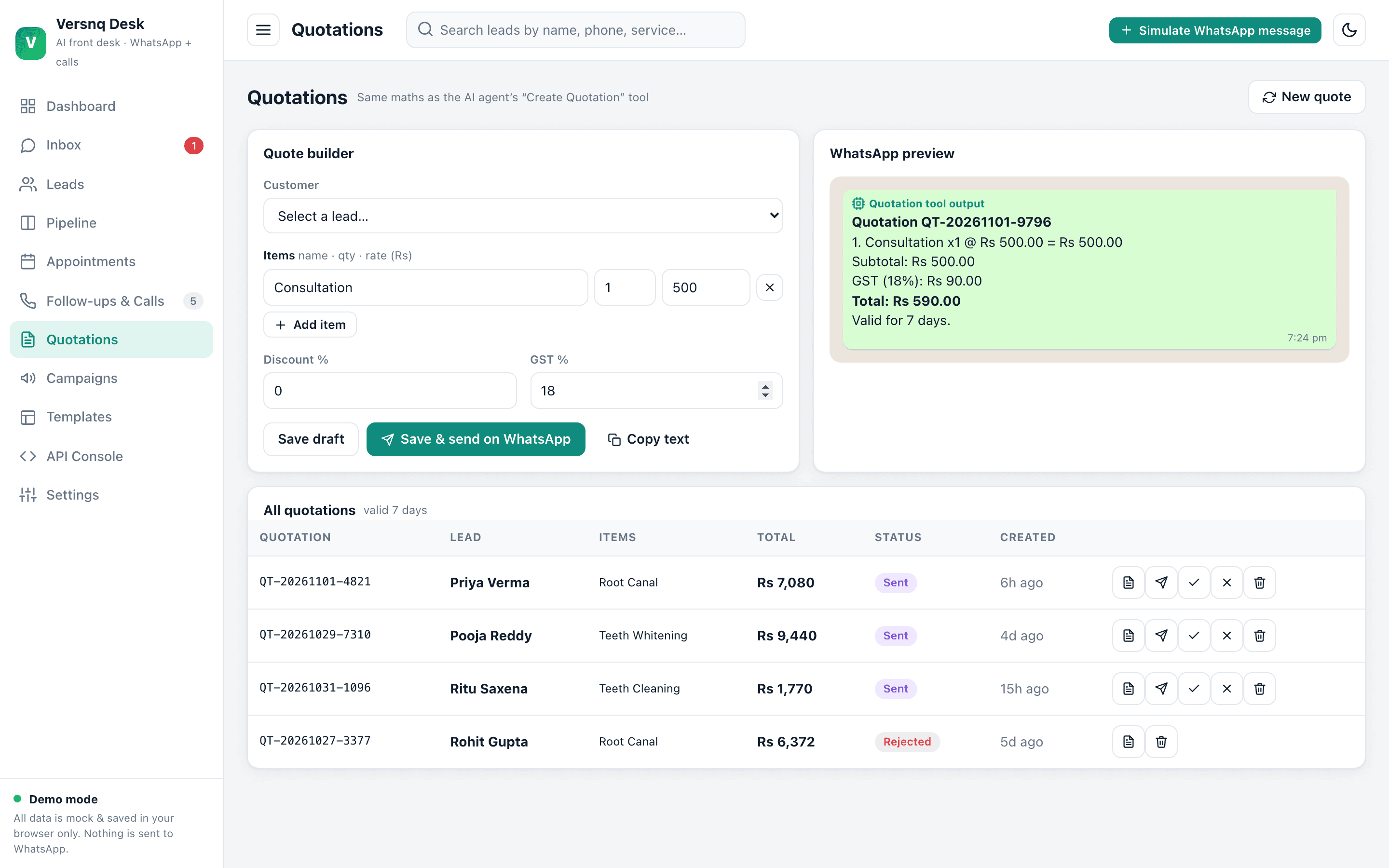
A quotation in the chat, with the tax already added
Ask the AI for a price on three services and it sends a numbered quotation with the subtotal, any discount, the tax and the total, valid for seven days. You can build one by hand from the dashboard too.
Every enquiry becomes a lead you can see
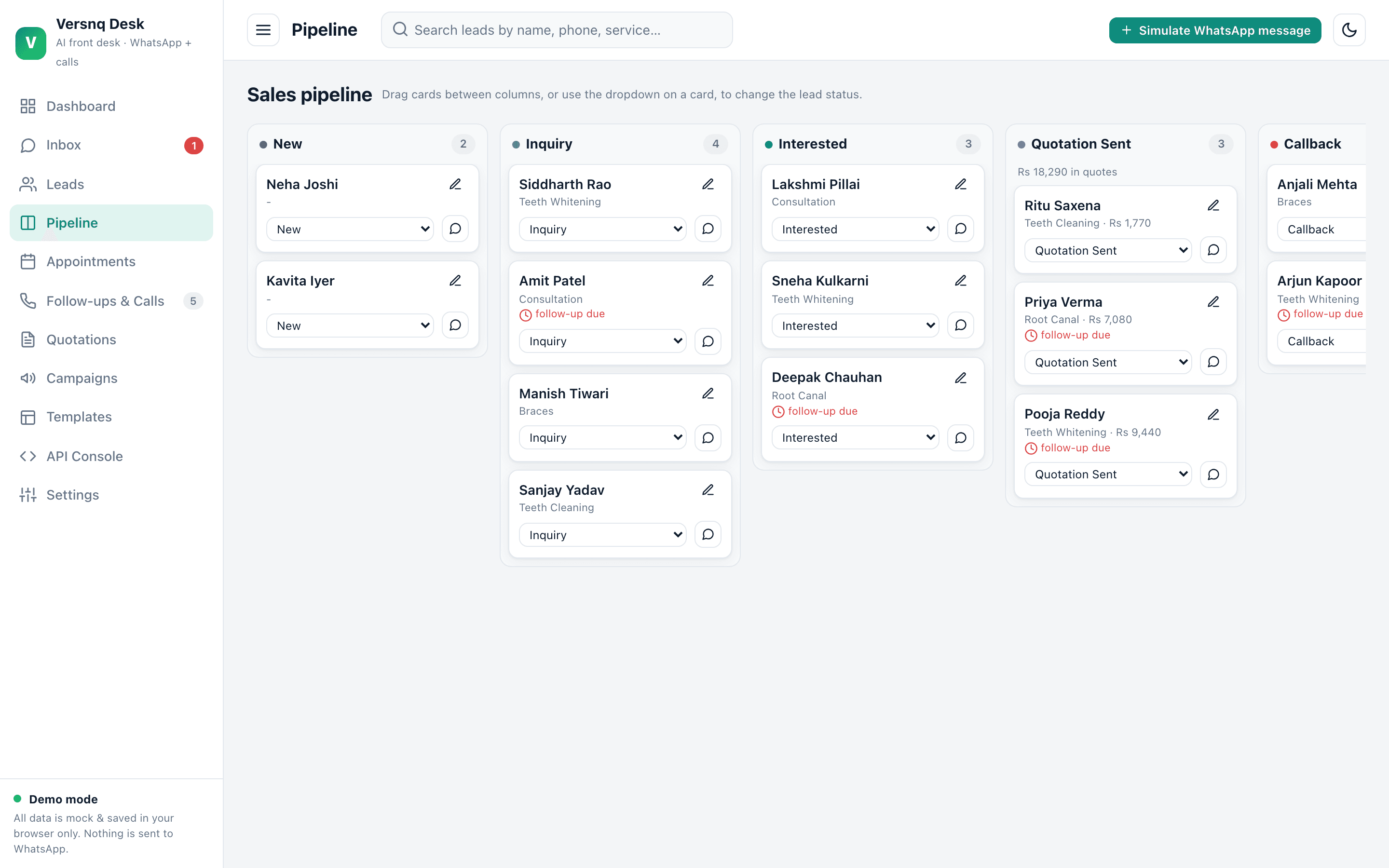
New, inquiry, interested, quotation sent, callback, needs a person, booked. The AI moves leads as conversations happen, and you can drag them yourself.
What the WhatsApp AI does
- Replies 24/7 from your prices, hours, address and FAQ
- Matches the customer's language
- Checks Google Calendar and books the slot
- Sends a WhatsApp confirmation after booking
- Sends quotations with GST, VAT or sales tax
- Saves every enquiry as a lead
- Hands over to staff and pauses itself for that chat
- Follows up quiet leads inside business hours
- Handles STOP and START opt-outs
- Drops Meta's duplicate deliveries, so nobody gets two replies
Questions
Frequently asked
How is this different from WhatsApp Business auto-reply?
The free auto-reply sends the same message to everyone: “thanks, we will get back to you”. Desk reads what the customer asked and answers it, from your own prices and FAQ, then books the appointment or sends the quotation. The customer gets an answer instead of an acknowledgement.
Does it need the WhatsApp Business API?
Yes. It runs on Meta's official WhatsApp Cloud API, on your own business number. I set that up with you. One rule from Meta worth knowing: a number on the Cloud API cannot also be used in the WhatsApp phone app at the same time.
Can it get things wrong?
It can misunderstand a message, like a person can. What it is instructed never to do is invent: it answers only from the prices, hours, address and FAQ you give it, and when it does not know, it saves the lead for your team instead of guessing. Every conversation is in the dashboard, so you can see exactly what it said.
What if the customer wants a person?
It hands over: it pauses itself for that one chat, marks the lead as needing a person, and emails you. You reply from the dashboard as yourself, then switch the AI back on for that chat.
Can it reply in Hindi or Hinglish?
Yes. The reply languages are part of the setup, and it matches the customer: somebody who writes “timings kya hain?” gets an answer in Hinglish. Arabic and other languages work the same way.
Is it live with other businesses already?
Not yet. It is built and tested and taking its first pilot clients, which is why the first 14 days are free.
Next step
See it answer your own customers
About fifteen minutes: a sample business taken from first message to booking, and how it would be set up around your own prices and hours. Then, if it fits, a free 14-day pilot on your real number.